
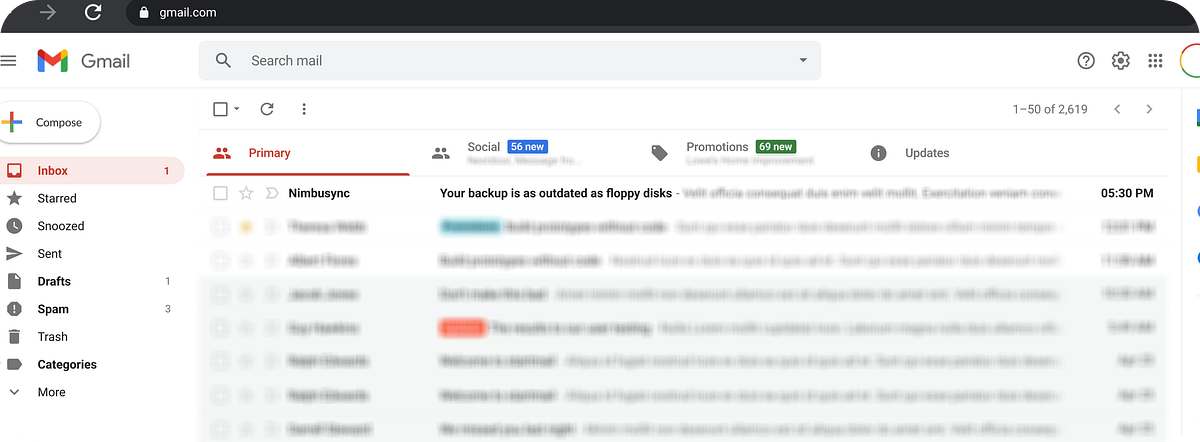
At 6.45 PM, I shut down my laptop after a long day — back-to-back meetings, client reports, and a mountain of emails I hadn't even opened yet. Over 200 unread messages sat in my inbox. Somewhere in there was a backup reminder email.

I didn't see it. I didn't open it. I didn't think about it.

The next morning, I turned on my laptop and it wouldn't boot. Something had gone wrong. And just like that, four days of work were gone.

No Backup. No recovery.

That's when it hit me. This wasn't just bad luck. It was a UX failure.

Why didn't I notice the reminder? Critical actions like backups are treated like spam. Not because they aren't important — but because they are invisible.

Research: What I Found

I conducted user interviews with 8 employees and collected feedback via surveys.

📩
Emails are perceived as low priority during busy work hours
🔁
Static language leads to mental habituation — same email, every time
Poor timing — emails arrive during work focus, not actionable moments

The Psychology of Ignored Nudges

💤
Email ≠ Action
Emails feel passive. Users delay acting on them — especially when the inbox is overloaded.
🔕
Repetition Fatigue
Same subject lines each week or day create "invisible patterns." The brain stops registering them.
Loss Aversion Triggers Action Better
Users are more motivated to avoid a problem than respond to a neutral nudge. Fear of loss beats a polite reminder.
What if we stopped relying solely on email, and instead redesigned the entire reminder experience around timing, emotion, and context?

Proposed UX Solutions
🔔
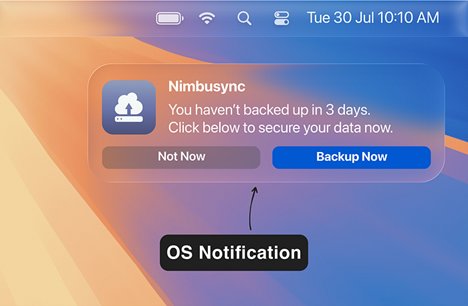
Contextual In-App & OS Notifications
Trigger: Login, logout, shutdown — with CTA
"You haven't backed up in 3 days. Click below to secure your data now."
macOS notification from Nimbusync: You haven't backed up in 3 days. Click below to secure your data now. — Not Now / Backup Now buttons — labelled OS Notification

An OS-level notification at the right moment — login or shutdown — with a direct "Backup Now" CTA. Actionable, contextual, impossible to ignore.
💬
Slack / Teams Integration
Trigger: Backup overdue > 48 hours
Chatbot messages in Slack or Teams — rich message format with timestamp, risk cue, and CTA delivered where the user is already working.
📧
Personalized, Rotating Email Reminders
Subject line variation to avoid habituation
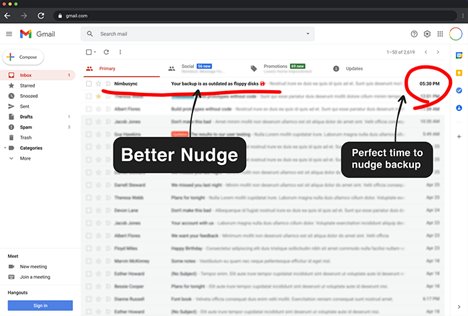
"Your backup is as outdated as floppy disks 💾"
"You're 1 of 29 users at risk of data loss"
Email body includes: last backup date, estimated backup duration, and a single quick-action button. Sent at the right time — not during peak work hours.
Gmail inbox showing 'Better Nudge' and 'Perfect time to nudge backup' annotations — Your backup is as outdated as floppy disks email highlighted at top

A smarter nudge: the right subject line, delivered at the right time — 5:30 PM, just as the user is wrapping up for the day and about to shut down.
Gmail inbox showing the backup reminder email in the Primary tab at the top of the inbox

Email subject line and timing — visible at the top of the inbox, sent at 5:30 PM when the user is most likely to act before shutting down.

🟢
Persistent Visual Status Widget
Taskbar icon or dashboard badge with real-time backup status — always visible, no email needed.
Green — Backed up
Red — Overdue
Yellow — Backup in progress

An email that requires understanding before acting has already failed.

The best reminder is the one that meets the user at the right moment, in the right context — not the one that gets lost in a sea of 200 unread messages.