
Problem
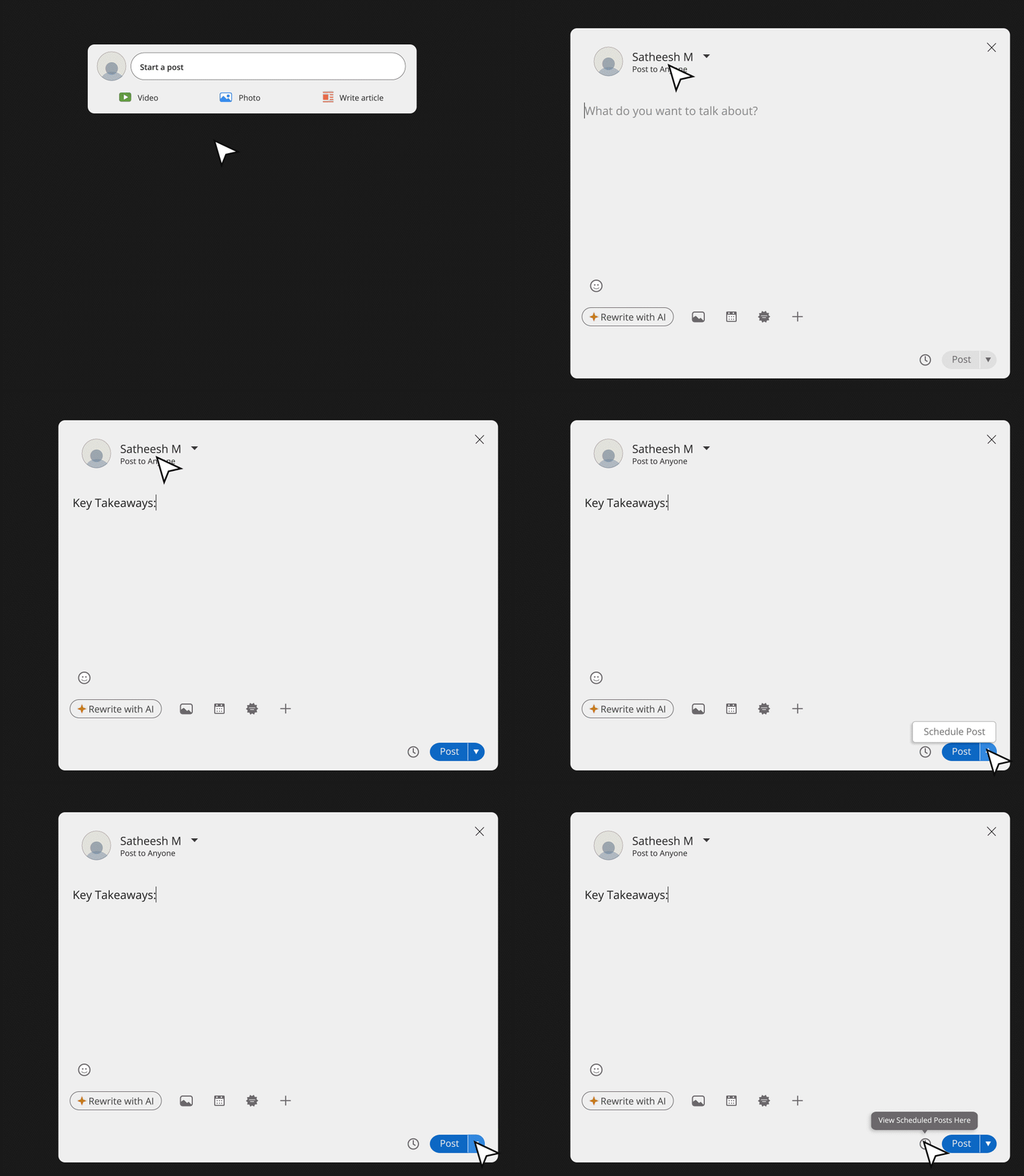
LinkedIn currently requires users to enter the post creation flow to view scheduled posts. This causes confusion and added friction, especially for users whose primary intent is to manage or review scheduled content rather than create new posts.
Goal
To optimize the discoverability and access of the "View Scheduled Posts" feature, reducing cognitive and interaction load for users managing scheduled content.
Current User Flow
The 3-step problem
Primary Issue: Discoverability and misaligned intent flow
UX Findings
- Users expect a separate entry point to scheduled content, independent of the post-creation process
- "Buried features" reduce feature usage and increase confusion
UX Issues
Solution
UI elements
- Clock icon (outlined style) — visible directly in the post bar
- Tooltip — "View Scheduled Posts Here"
- "Post" and "Schedule Post" merge together, with a caret for the option
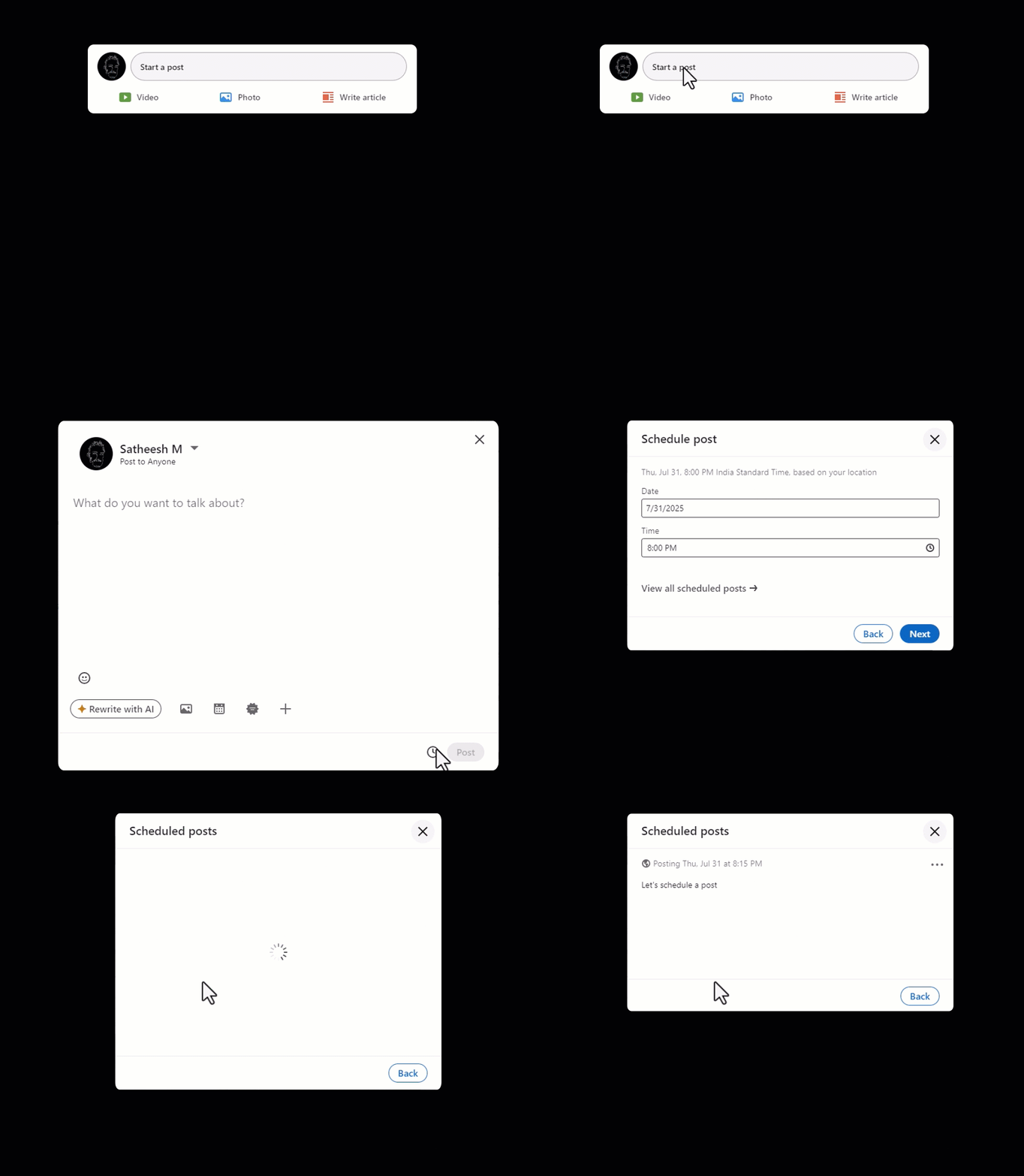
The solution: a clock icon with tooltip, visible directly in the post bar — no popup required. The caret merges "Post" and "Schedule Post" into one accessible control.
The small fix helps to reduce friction and respects user intent. This small tweak aligns better with user expectations, reduces click fatigue, and makes LinkedIn's scheduling tools more efficient and discoverable.
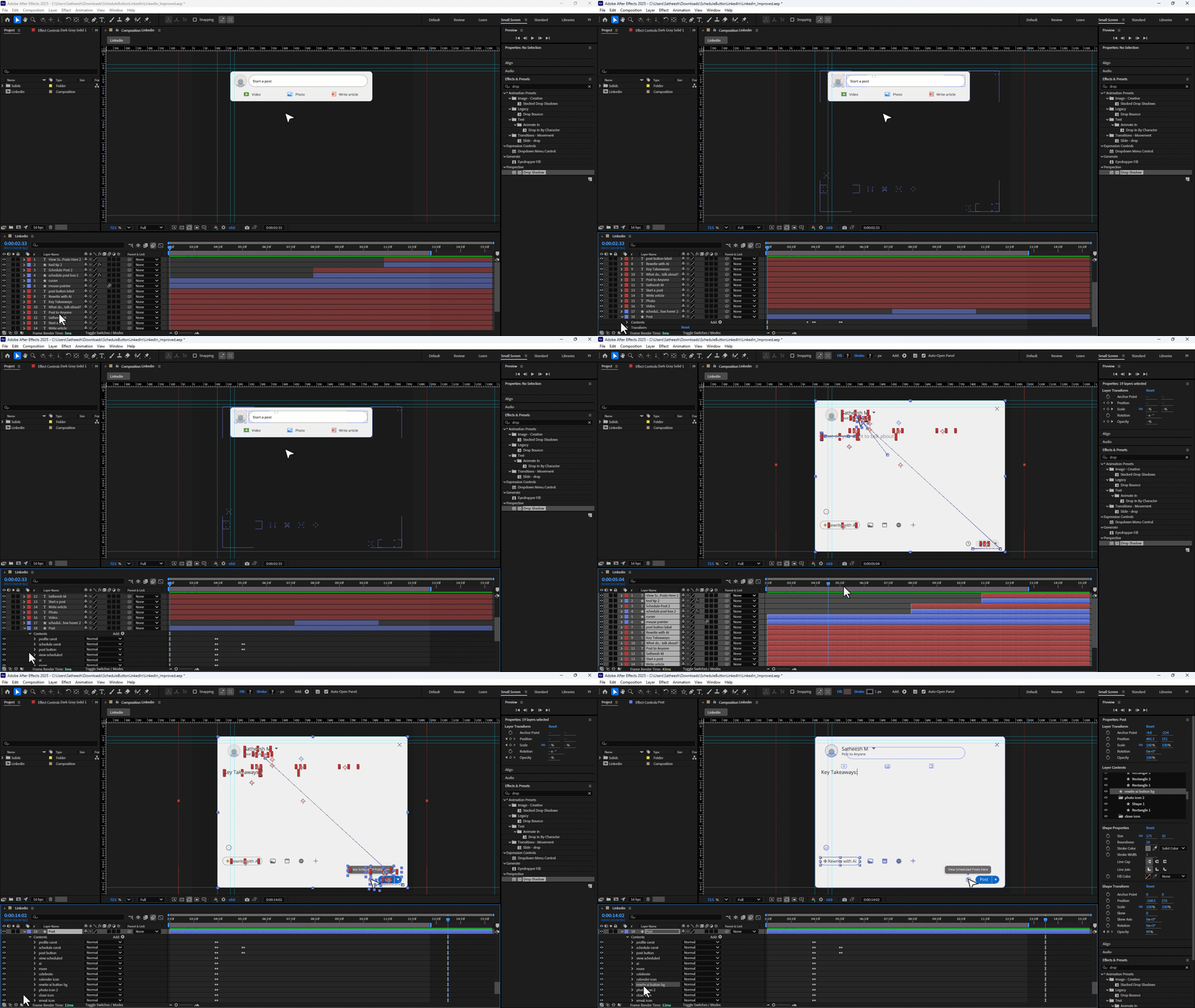
The full interaction — designed and animated in Adobe After Effects. One direct entry point, one clear intent.
A scheduling feature that creates more friction than the task itself isn't a feature — it's friction in disguise.
The best UX fix is often the smallest: surface the right thing, at the right moment, for the right intent.